


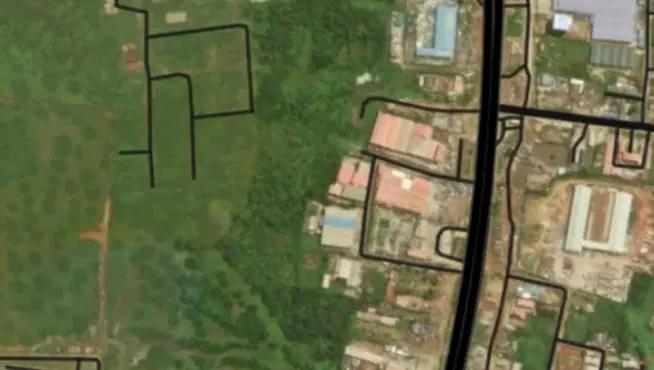
The Nigerian Postal Service (NIPOST) officially rolled out the National Digital Alphanumeric Postcode System nationwide. This modern infrastructure introduces an 11-character alphanumeric code for every addressable building across the country, transforming how logistics, deliveries, emergency response, and everyday navigation operate.
By replacing older, less precise postal frameworks, the initiative ensures that every home and business can be precisely located. Best of all, accessing, verifying, and sharing your unique digital postcode through the official government portal is completely free of charge.
6 Simple Steps to Find Your Home's Digital Postcode
Finding your property's code is a straightforward digital process. Follow this step-by-step guide to locate, verify, and save your postcode:
1. Access the Official Portal
-
Head over to the official platform at postcode.gov.ng.
-
Select the option to find a postcode, or download and open the official NIPOST Postcode mobile application if available through the site.
2. Enter Your Address Details
-
Type in your house number, street name, and neighborhood.
-
The system is designed to handle flexible entries, so you can also search using prominent local landmarks, general area names, or recognized community aliases.
-
Review the dropdown search results and click on the entry that best matches your residence.
3. Verify the Location on the Map
-
Inspect the interactive map to confirm that the plotted pin matches your actual physical property.
-
Cross-reference surrounding roads, local landmarks, and neighboring structures. Because buildings on the same long street can sometimes have distinct segment codes, precision here is crucial.
-
Once verified, view the comprehensive building details and copy your 11-character code.
4. Check for Property Association Names
-
In many Nigerian neighborhoods—particularly areas without strictly defined street numbers—locals identify houses by the homeowner's or landlord's name.
-
You can try searching by a familiar name if it is historically tied to the property description.
-
Keep in mind: The system maps the building itself, not the current occupant or owner. Do not be alarmed if your name does not appear; as long as the building structure is correctly marked, the postcode is valid.
5. Use GPS Location Services or Report Missing Buildings
-
If you are physically at home: Turn on your phone's location services (GPS), grant permission to the app or browser, and select "Find My Postcode." The system will pinpoint nearby mapped properties so you can select yours instantly.
-
If your building is missing: Use the platform's dedicated submission feature to add your address and GPS coordinates. Including a Google Maps dropped pin link will help NIPOST verify and add your property faster.
-
If information is incorrect: Use the built-in correction request form. All submissions undergo administrative review before database updates go live.
6. Save and Share Your Postcode
-
Once your building is confirmed, save the 11-character alphanumeric string.
-
You can attach this code alongside your traditional mailing address for courier deliveries, online shopping checkouts, official correspondence, and visitor directions.